> For the complete documentation index, see [llms.txt](https://support.power.trade/llms.txt). Markdown versions of documentation pages are available by appending `.md` to page URLs; this page is available as [Markdown](https://support.power.trade/polaris/using-powerdex/settling-your-account-balance.md).
# Settle Balance on Polaris | One‑Click On‑Chain Settlement
Easily settle balances on‑chain after trading. Settlement fees are covered during beta.
**Before you can withdraw your funds, you must settle your balance.**
This is necessary to ensure that the amount you want to withdraw is within the limits of both your multi-sig and Polaris balances.
When you settle your balance, any differences between your multi-sig balance and your Polaris exchange account will be cleared, and your funds will be available for withdrawal on-chain.
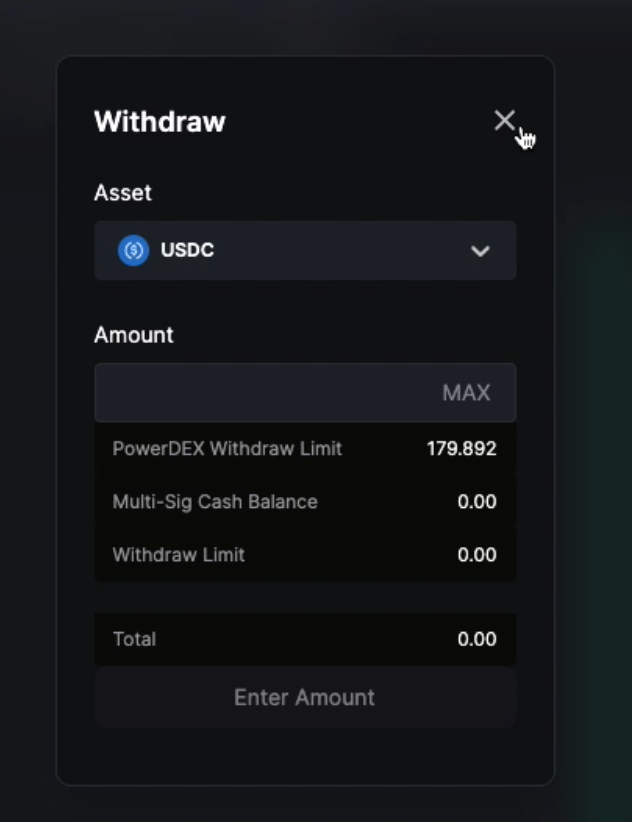
If you attempt to withdraw a cash balance that doesn't match your multi-sig balance, you won't be able to do so until the balance is settled.
The Withdraw Limit is 0.00 as the balances have yet to be settled.
### **How do you settle a cash balance?**
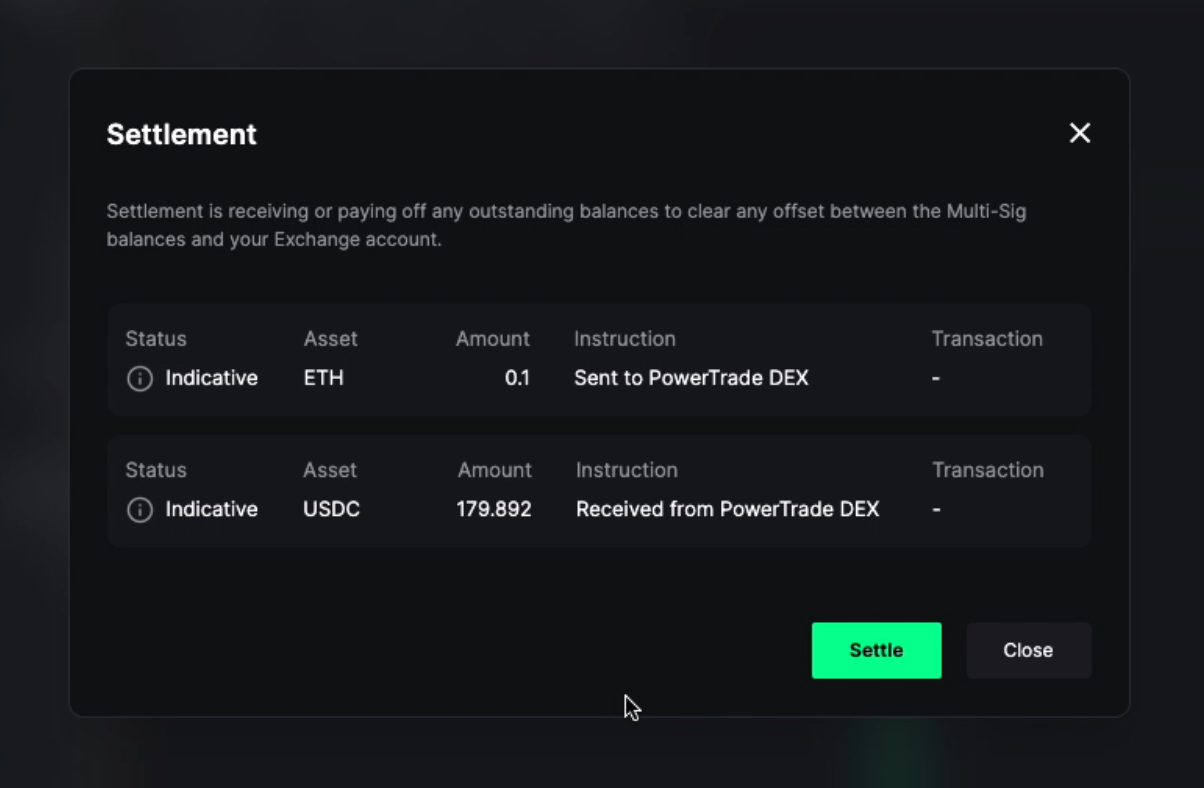
1. Navigate to the top right-hand corner and click "Settle". You can also select "Settle" on the main portfolio interface (shown below)
2. The **Settlement** window shows you the transactions that will occur on the blockchain to settle the account balance. **Polaris does not charge fees to you to reconcile these balances.** To proceed, click “Settle”.
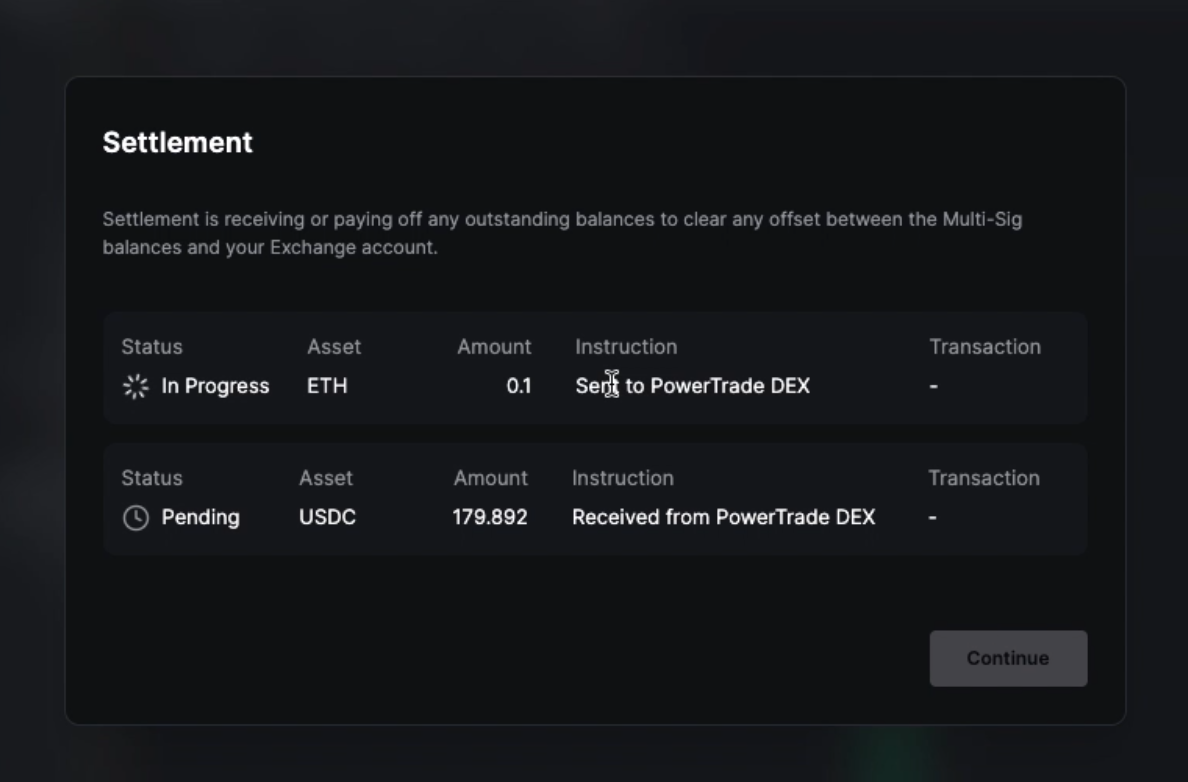
3. Please be patient as the settlement transactions are then executed on the blockchain.
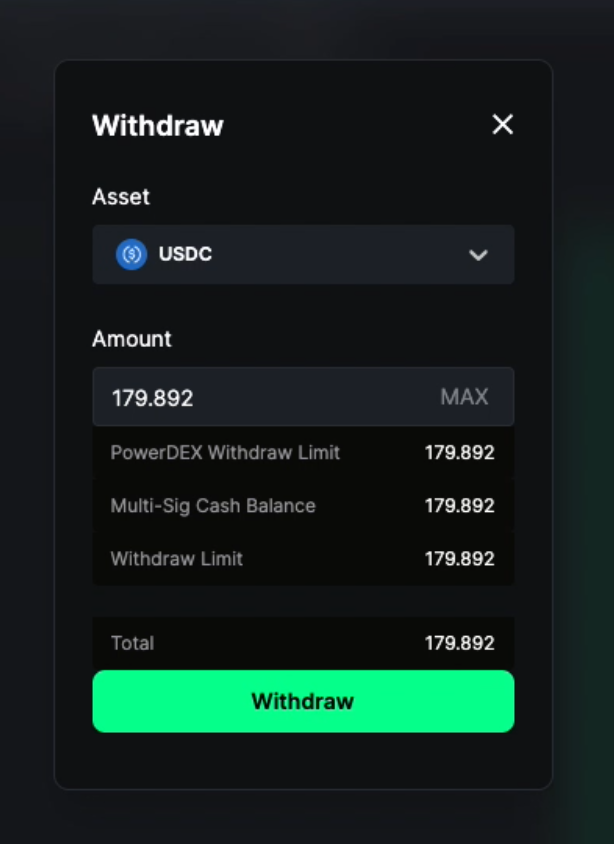
4. With the settlement complete, you can now see the updated balance reflected in the **Multi-Sig Cash Balance**. The settled funds are now available for withdrawal to your main wallet.