> For the complete documentation index, see [llms.txt](https://support.power.trade/llms.txt). Markdown versions of documentation pages are available by appending `.md` to page URLs; this page is available as [Markdown](https://support.power.trade/polaris/using-powerdex/making-a-deposit.md).
# Deposit Funds on Polaris | Multi‑Sig & Wallets
Send ETH or ERC‑20, Solana or Base tokens to your multi‑sig wallet to make funds available for trading on Polaris.
Polaris uses multi-signature wallet technology to execute trades on the platform. To start trading, you need to deposit funds into your multi-signature wallet.
### Deposit from your wallet
If you have supported assets in your wallet, you can deposit them directly into your multi-sig wallet for use on Polaris.
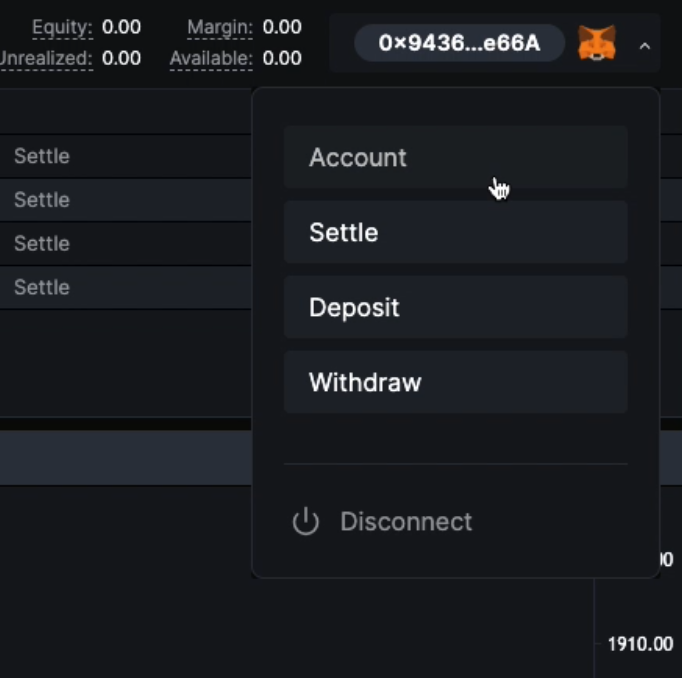
Navigate to the top-right-hand side of the interface, click on your wallet, and select “Deposit.”
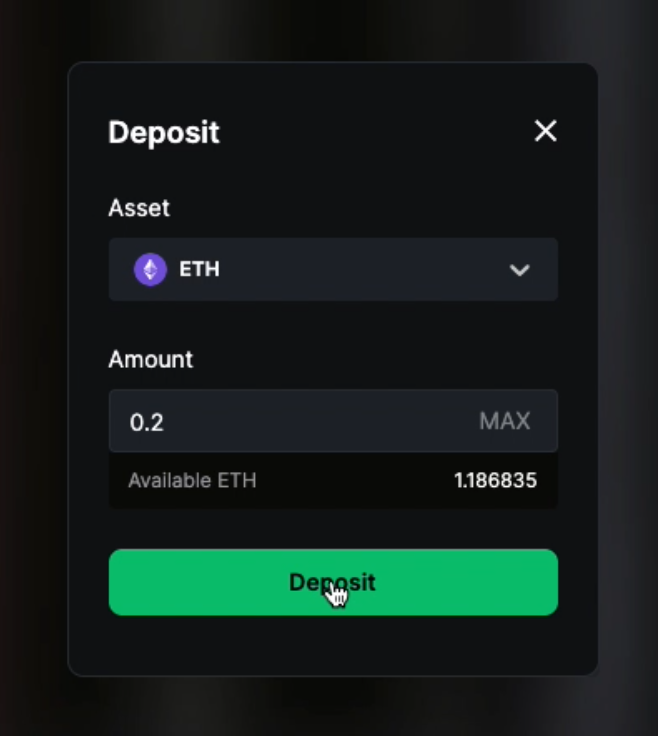
In this window, you can select the type of asset to deposit and the amount. The **available balance** shown reflects the amount available in your main wallet (not the multi-sig wallet).
Enter the amount you wish to deposit from your main wallet to the multi-sig and then select “Deposit”. You must pay a gas fee to deposit to the multi-sig wallet.
Should you wish to deposit more funds to your Polaris multi-sig than you have available in your main wallet, you can make a direct deposit to the multi-sig (explained below).
### Depositing via the main interface
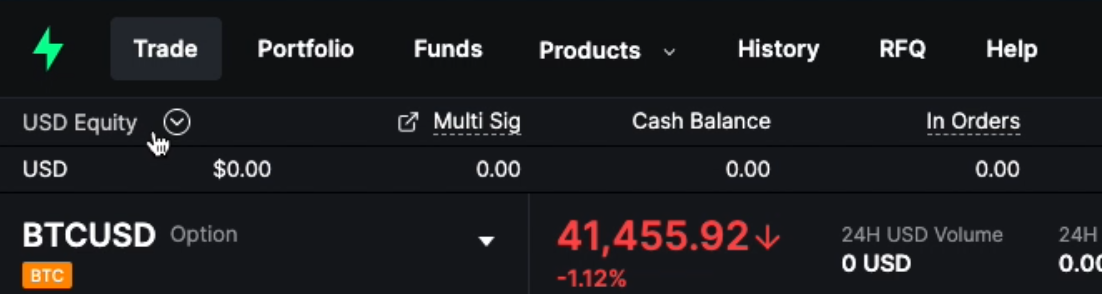
Users may also manage their funds via the main interface. Click on the “USD Equity” button below the main navigation section to display your available assets.
The new interface shows your current assets, balances, margin, and more. You can make a deposit by selecting the ”Deposit” button on the right-hand-side of the corresponding asset.
### Making a direct deposit to your multi-signature wallet
Users can also deposit supported assets from **any other wallet** directly into the multi-sig wallet, bypassing the need to fund your main wallet directly and saving a second transaction fee.
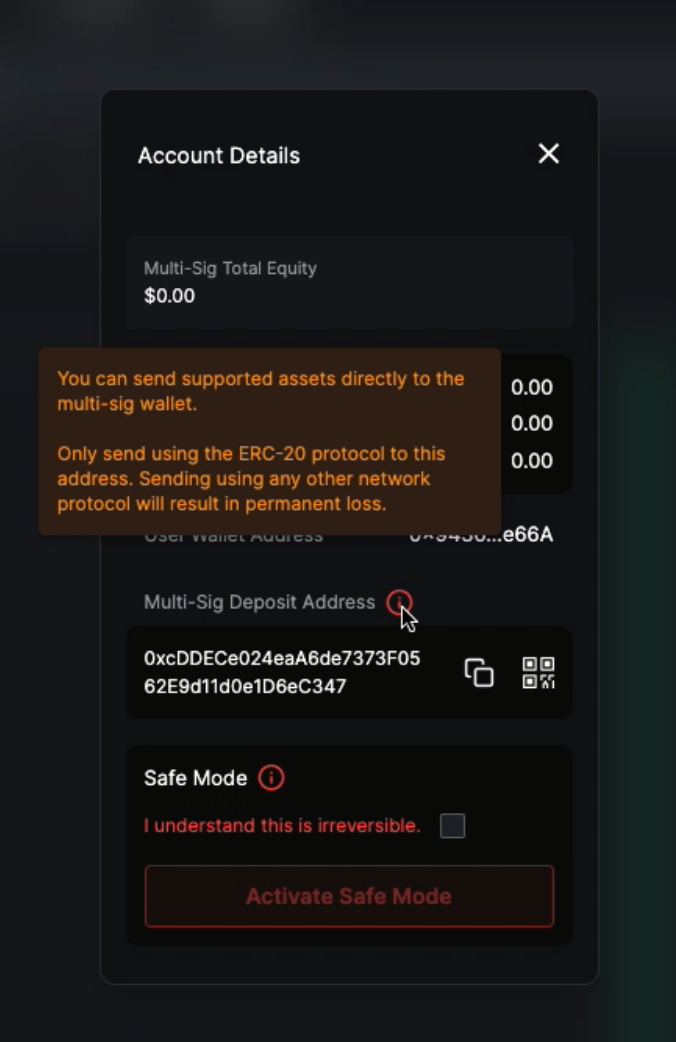
1. Navigate to the "Account" function in the top right-hand corner.
2. Obtain your multi-sig deposit address and send the funds. **Important:** Only send supported assets to the address.
3. Once the funds have been received in the multi-sig wallet, they will be automatically reflected in your portfolio.